
The Innovative IT Services One Page Template Kit helps you build a modern, professional IT company website using Elementor — without coding. This documentation will guide you through installation, setup, header & footer assignment, and homepage configuration step by step.
Please follow this guide to properly install and set up the Innovative IT Services One Page Template Kit.
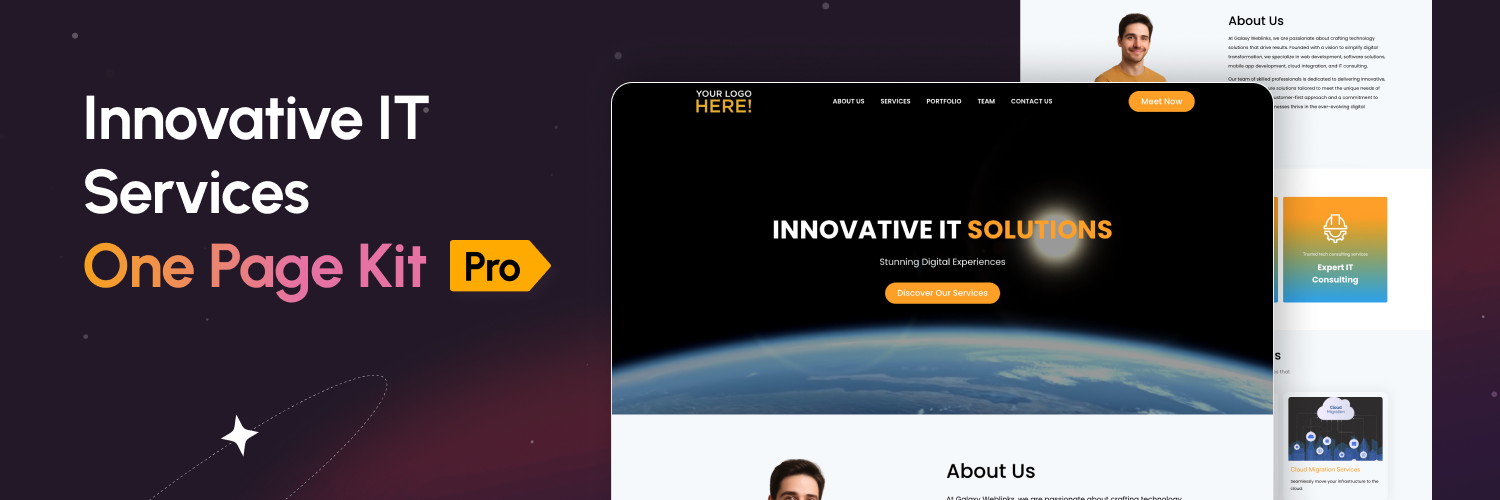
The Innovative IT Services Template Kit is a professionally designed one-page Elementor template built for IT companies, tech startups, digital agencies, and service-based businesses.
It allows you to quickly launch a complete website layout including Header, Footer, and Landing Page using Elementor and Elementor Pro.
This kit is fully customizable and does not require any coding knowledge. All sections are built using Elementor widgets, so you can easily change text, images, colors, and layouts.
What’s Included in This Template Kit
* Custom Header Template
* Custom Footer Template
* Complete One Page Landing Layout
Key Features
* No coding required
* Lightweight & fast loading layout
How It Works
The template kit works using Elementor’s template system.
You simply import the templates, assign the header and footer via Theme Builder, and insert the landing page template into a new page.
No theme modification is required. For best results, use an Elementor-compatible theme like Hello Elementor.
For any Feedback and Queries please contact at wpsupport@galaxyweblinks.in
To get the best experience with the Innovative IT Services One Page Template Kit, make sure your website meets the following requirements:
Elementor and Elementor Pro (latest version)
PHP 7.4 or later
A lightweight Elementor-compatible theme (Recommended: Hello Elementor)
If you are unsure about your server configuration, please contact your hosting provider.
This template kit works using Elementor’s template system and does not require plugin installation.
Download the template kit ZIP file after purchase.
Extract the downloaded file on your computer.
Inside, locate the folder named: innovative-it-services-template-kit
Create a new ZIP file of this folder only.
Go to your WordPress dashboard.
Navigate to Elementor → Templates → Import Templates.
Upload the newly created ZIP file.
Wait for all templates to be imported successfully.
Once all templates are imported successfully, complete the setup using the steps below:
Go to WordPress Dashboard → Templates → Theme Builder (this option is available after activating Elementor Pro). Open the Header tab, select the imported Header template, click Publish, and set the Display Condition to Entire Site.
In the same Theme Builder area, open the Footer tab, select the imported Footer template, click Publish, and set the Display Condition to Entire Site.
Go to WordPress Dashboard → Pages → Add New, create a new page, click Edit with Elementor, click the Folder icon, open My Templates, and insert the Landing Page Template.
Go to WordPress Dashboard → Settings → Reading, select A Static Page, and choose the page you just created as the Homepage.
If you prefer importing templates one by one:
Go to Elementor → Templates → Saved Templates
Click Import Templates
Import the following files from the templates folder:
header.json
footer.json
landing.json
Make sure all templates appear in the Saved Templates list.
This template kit does not modify your theme files. Everything is managed through Elementor templates. For best results, avoid block/FSE themes and use Hello Elementor.
Explore the live demo of the Innovative IT Services template to see the layout and design in the action.
Ans. Yes. This template kit requires Elementor Pro. The header and footer are built using Elementor Pro’s Theme Builder, so without Pro you will not be able to assign them to the site.
Ans. We recommend using the Hello Elementor theme or any lightweight Elementor-compatible theme. Avoid Block/FSE themes, as they may cause layout or spacing issues.
No coding is required. You can edit text, colors, images, and layouts using Elementor’s visual editor.