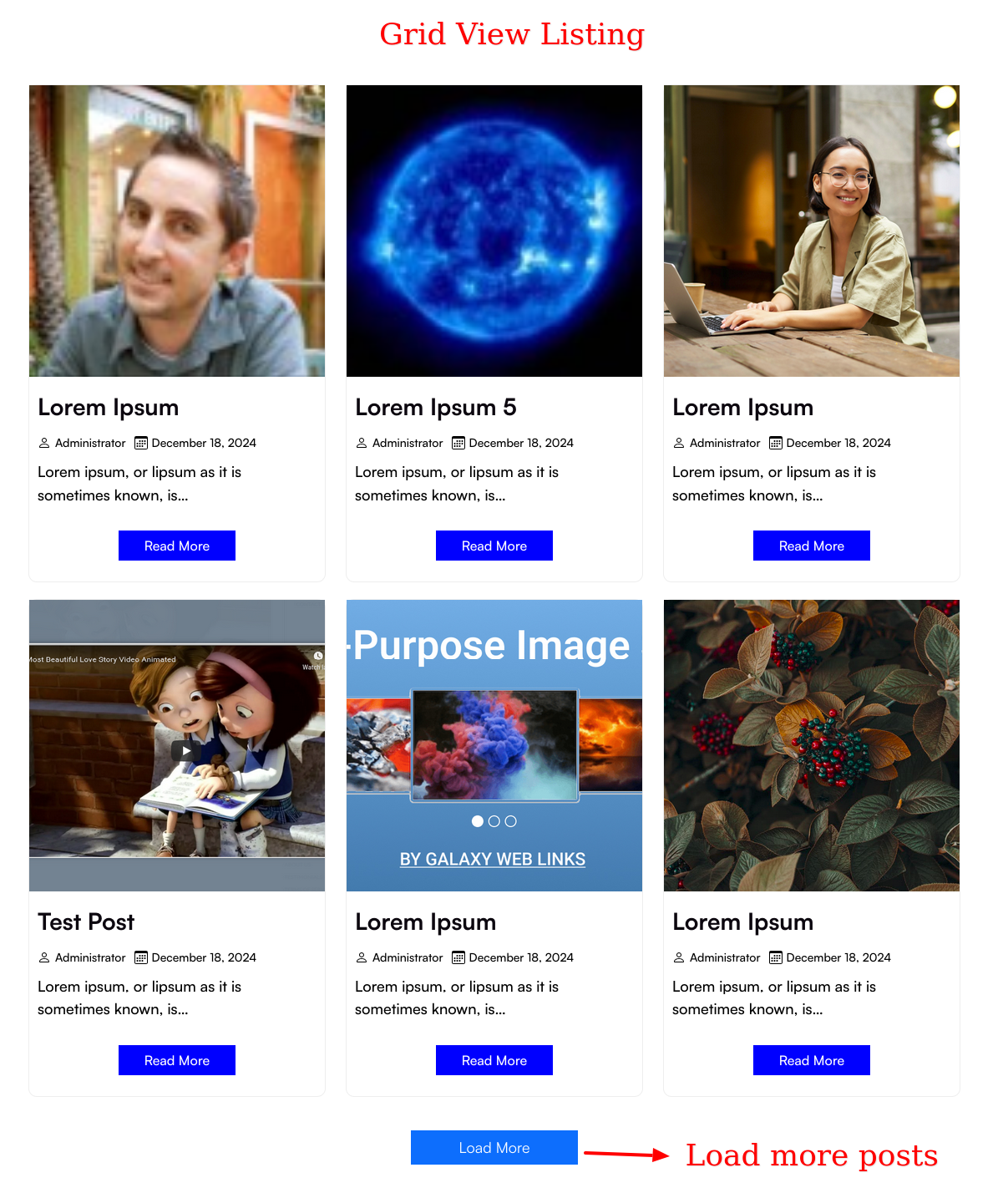
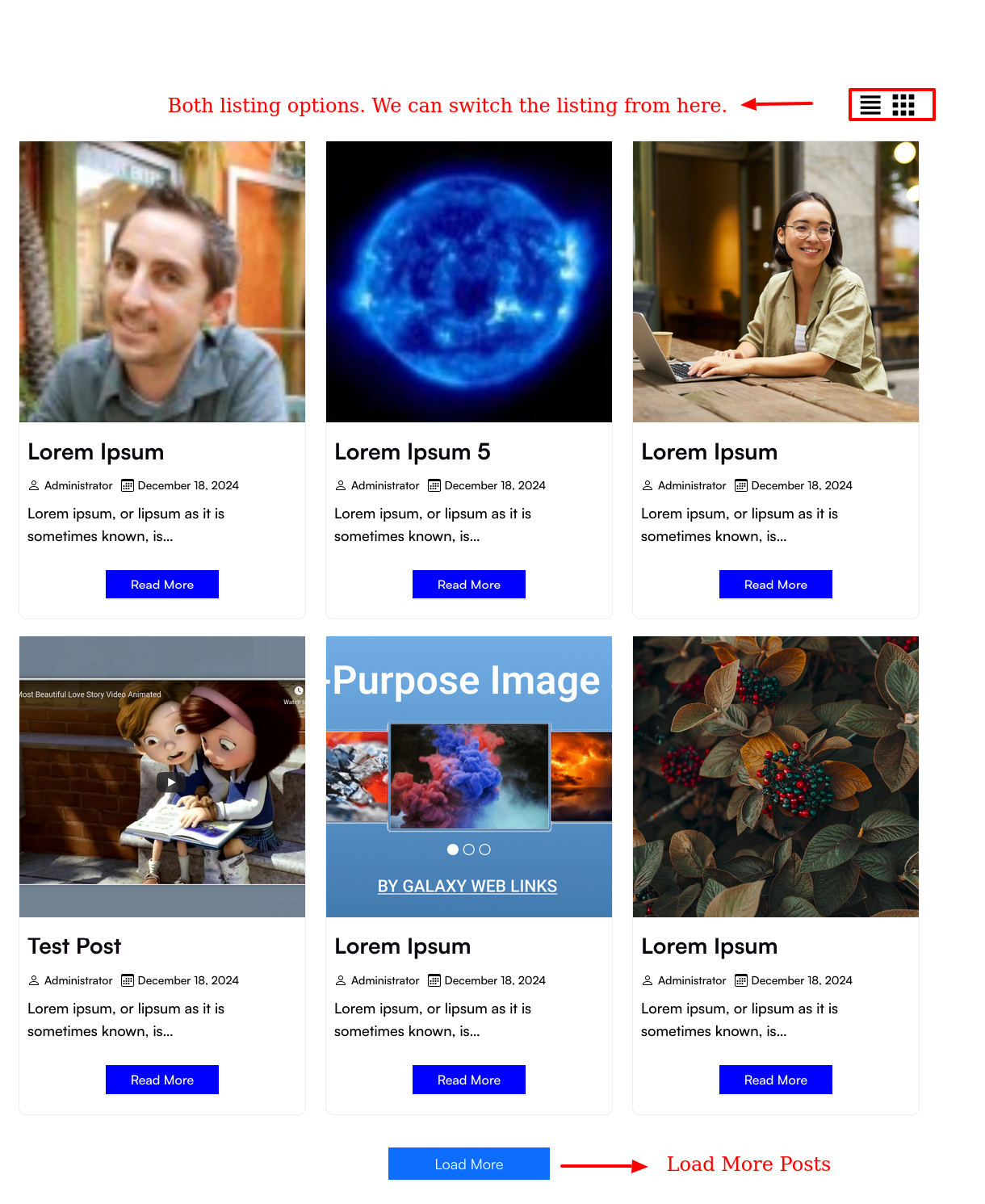
The Load More Posts by Click or Scroll plugin allows you to display paginated post listings using a shortcode, with the ability to load additional posts using either a “Load More” button or infinite scroll.
Please see the documentation of the “Load More Posts by Click or Scroll” plugin.
Overview
The Load More Posts by Click or Scroll plugin allows you to display paginated post listings using a shortcode, with the ability to load additional posts using either a “Load More” button or infinite scroll.
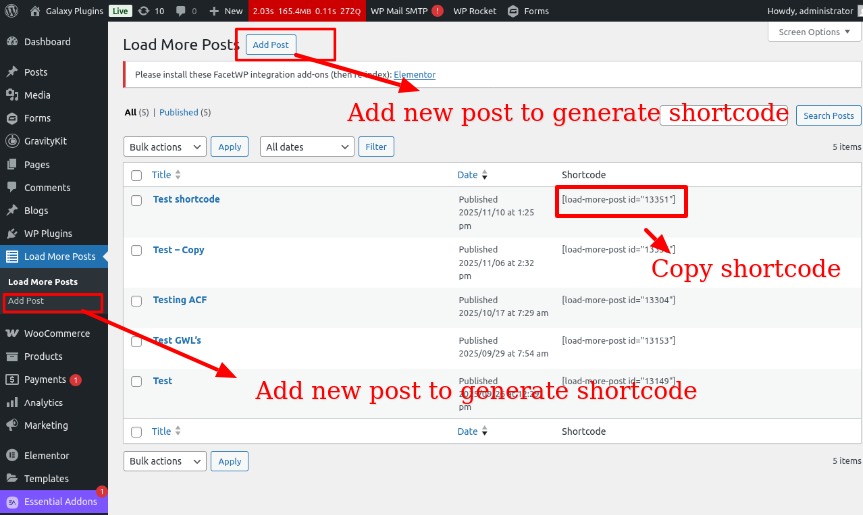
This version uses a custom post type (Load More Posts) in the admin panel where you can configure each listing separately. A shortcode is generated per configuration, allowing flexibility across different pages or sections.
No need to edit any code — configure via the backend, copy the generated shortcode, and paste it into any post, page, or widget.
Features Of Load More Posts by Click or Scroll:
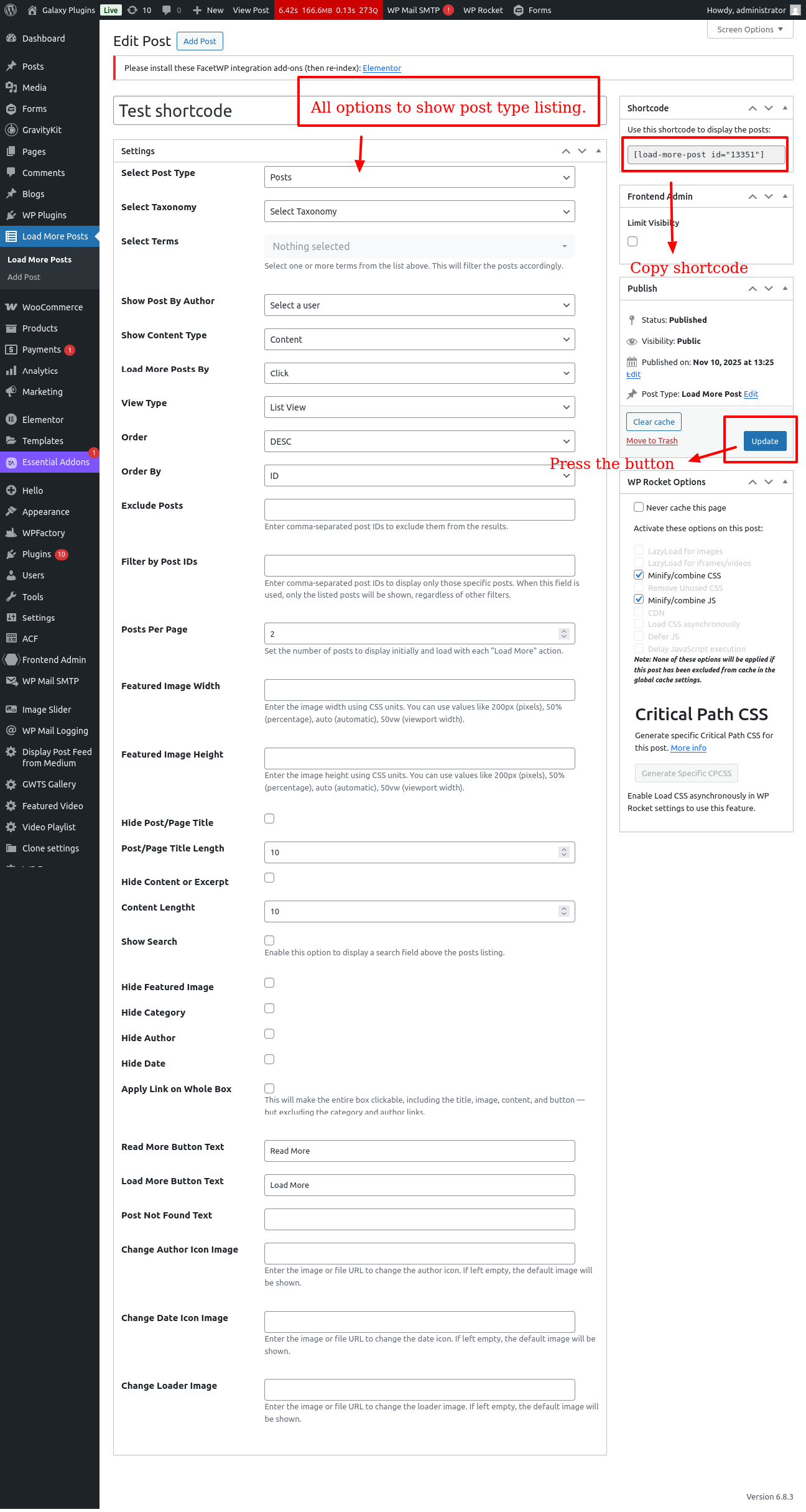
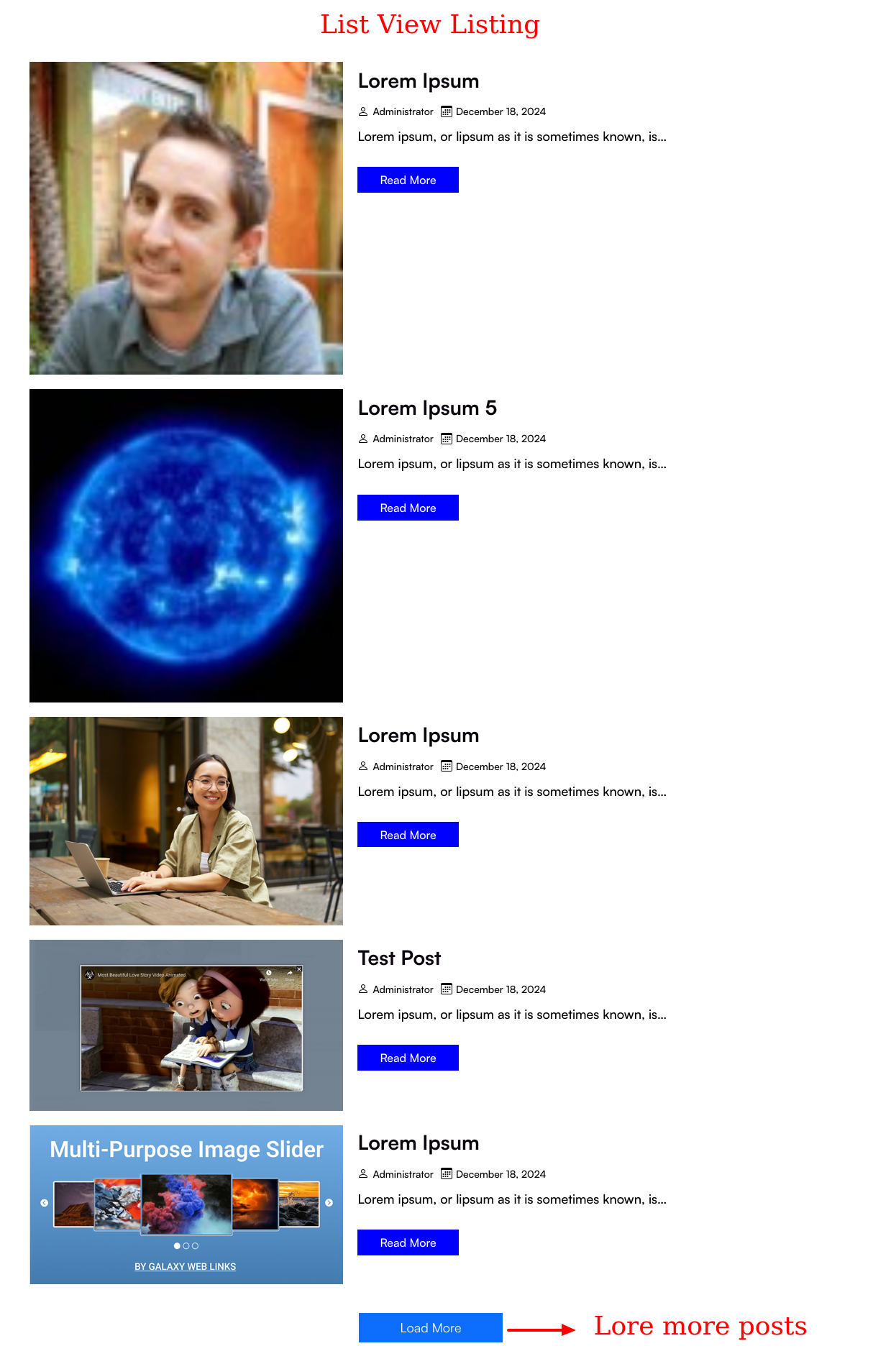
* Select Post Type: Choose the post type you want to display. * Select Taxonomy: Automatically populates based on the selected post type. * Select Terms: Dynamically loads terms based on the selected taxonomy. * Show Post by Author: Filter posts by a specific author. * Show Content Type: Choose to display content as full content or excerpt. * Load More Posts By: Options to load more posts by click or scroll. * View Type: Choose between list view, grid view, or both. * Column: Set the number of columns (1, 2, 3, or 4) for the display. * Order: Choose between ascending or descending order. * Order By: Sort posts by ID, title, or date. * Exclude Posts: Exclude specific posts by entering IDs, separated by commas. * Filter by Post IDs: Include specific posts by entering IDs, separated by commas. * Posts Per Page: Specify how many posts to display before showing the “Load More” button. * Featured Image Width & Height: Set dimensions for featured images. * Hide Post/Page Title: Option to hide post titles. * Post/Page Title Length: Specify the maximum length for post titles. * Hide Content or Excerpt: Option to hide content or excerpts. * Content Length**: Specify the maximum length for content or excerpts. * Show Search: Checkbox to enable a search box above the listing to searchs. * Hide Featured Image: Option to hide the featured image. * Hide Category: Option to hide the category label. * Hide Author: Option to hide the author name. * Hide Date: Option to hide the post date. * Applied Link On Whole Box: Checkbox to make the entire box clickable. * Read More Button Text: Customize the text for the “Read More” link. * Load More Button Text: Customize the text for the “Load More” button. * Post Not Found Text: Customize the text for the “Not Found” message. * Change Author Icon Image: Add url for a custom image for the author icon. * Change Date Icon Image: Add url for a custom image for the date icon. * Change Loader Image: Add url for a custom loader image for loading states.