
Multi Select & Notification Checker for Gravity Forms
The plugin demo instructions and functionality explain how to use each feature of the plugin. Please review them below and scroll down for more details.
Documentation
Please see the documentation of the “Multi Select & Notification Checker for Gravity Forms” plugin.
Overview
Multi Select & Notification Checker for Gravity Forms improves both form usability and notification reliability in Gravity Forms.
This plugin provides two focused enhancements designed to prevent missed submissions and improve user experience.
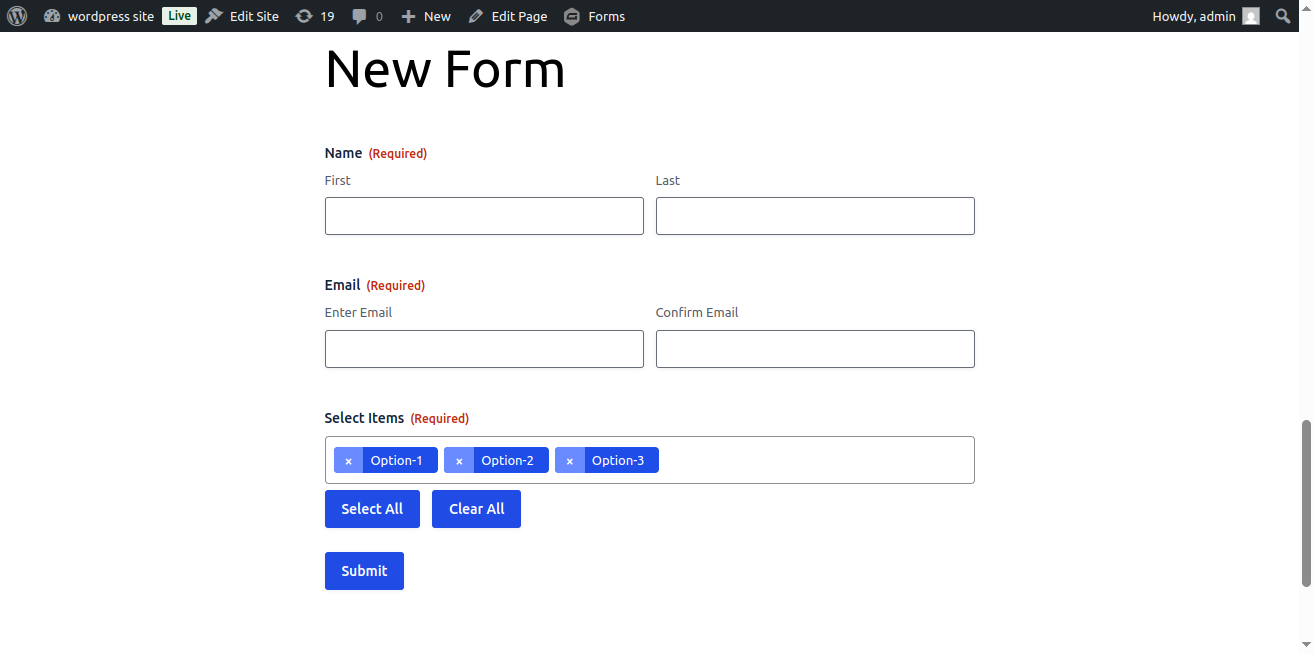
Select2 Styling for Multi-Select Fields
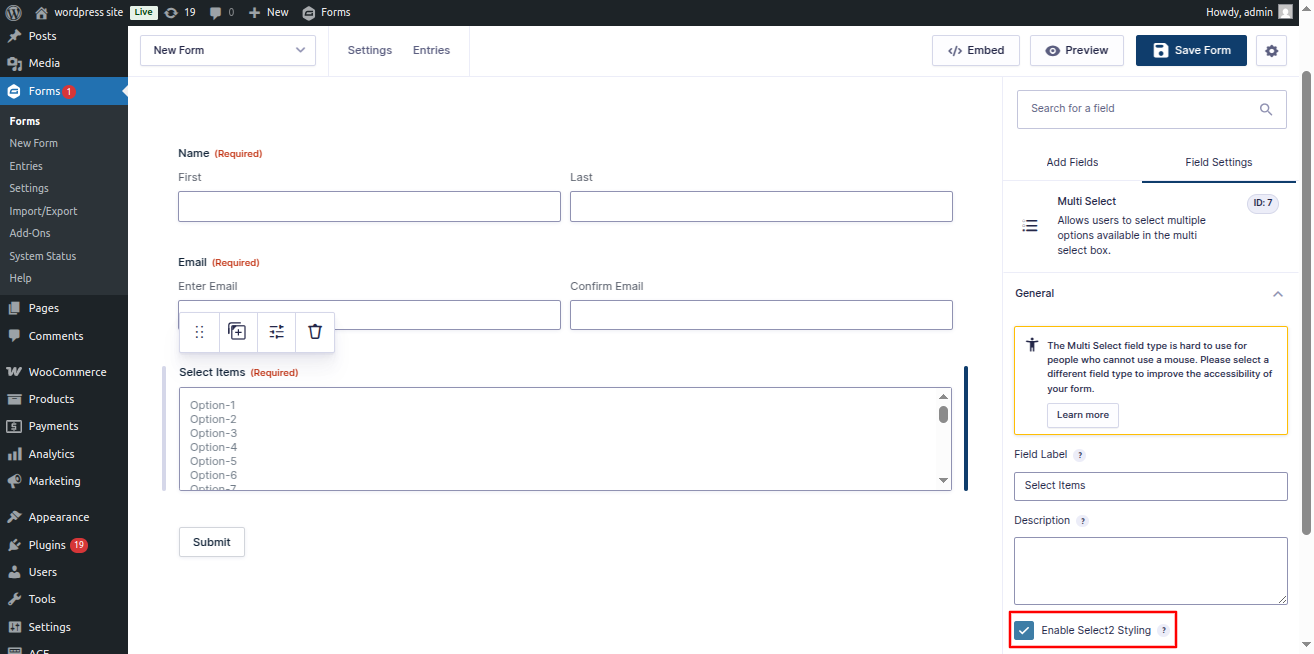
Enhance Gravity Forms Multi Select fields with a modern Select2 interface.
The feature can be enabled per field using a simple checkbox in the form editor—no global overrides.
Notification Checker (Admin Alerts)
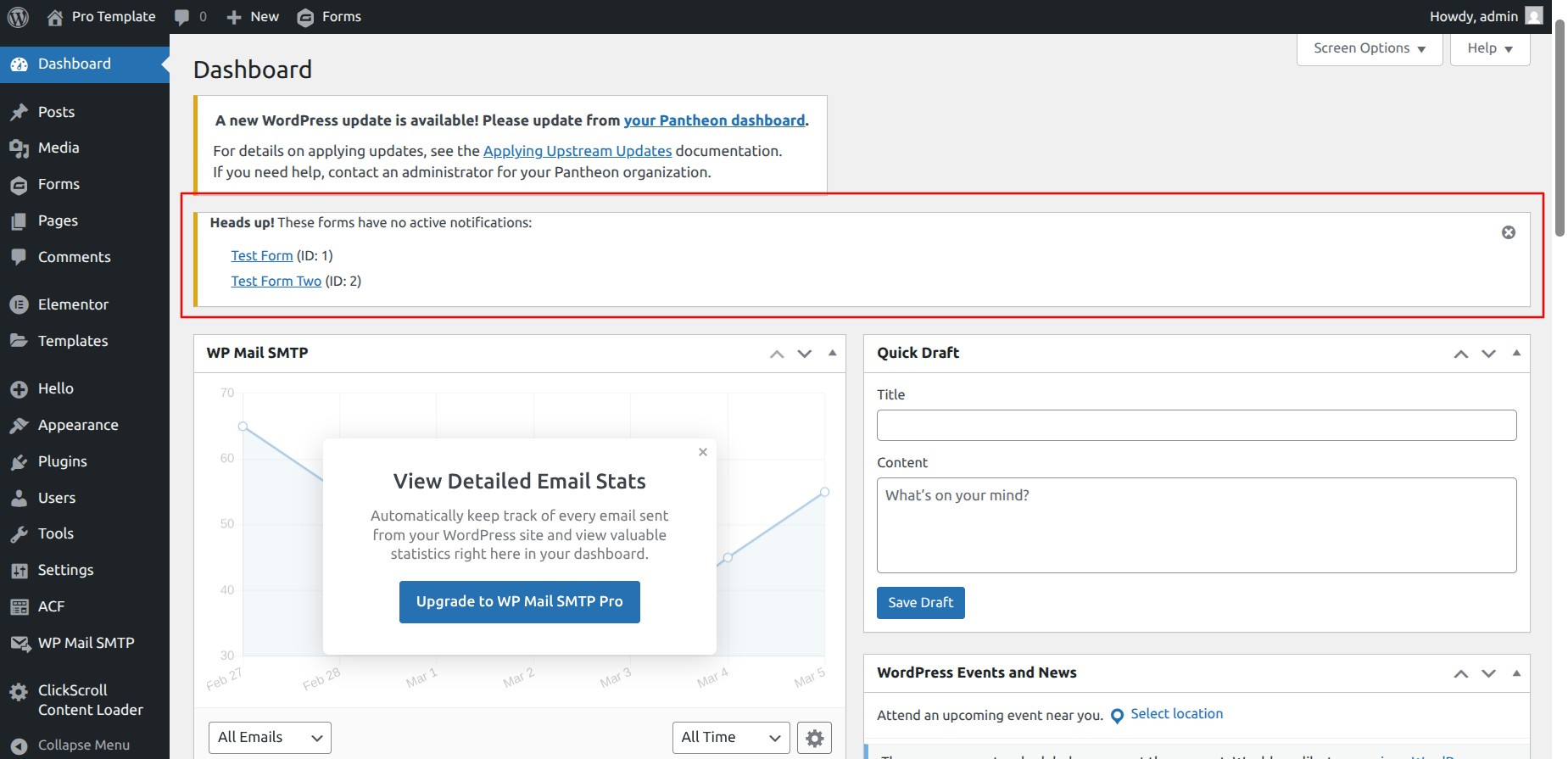
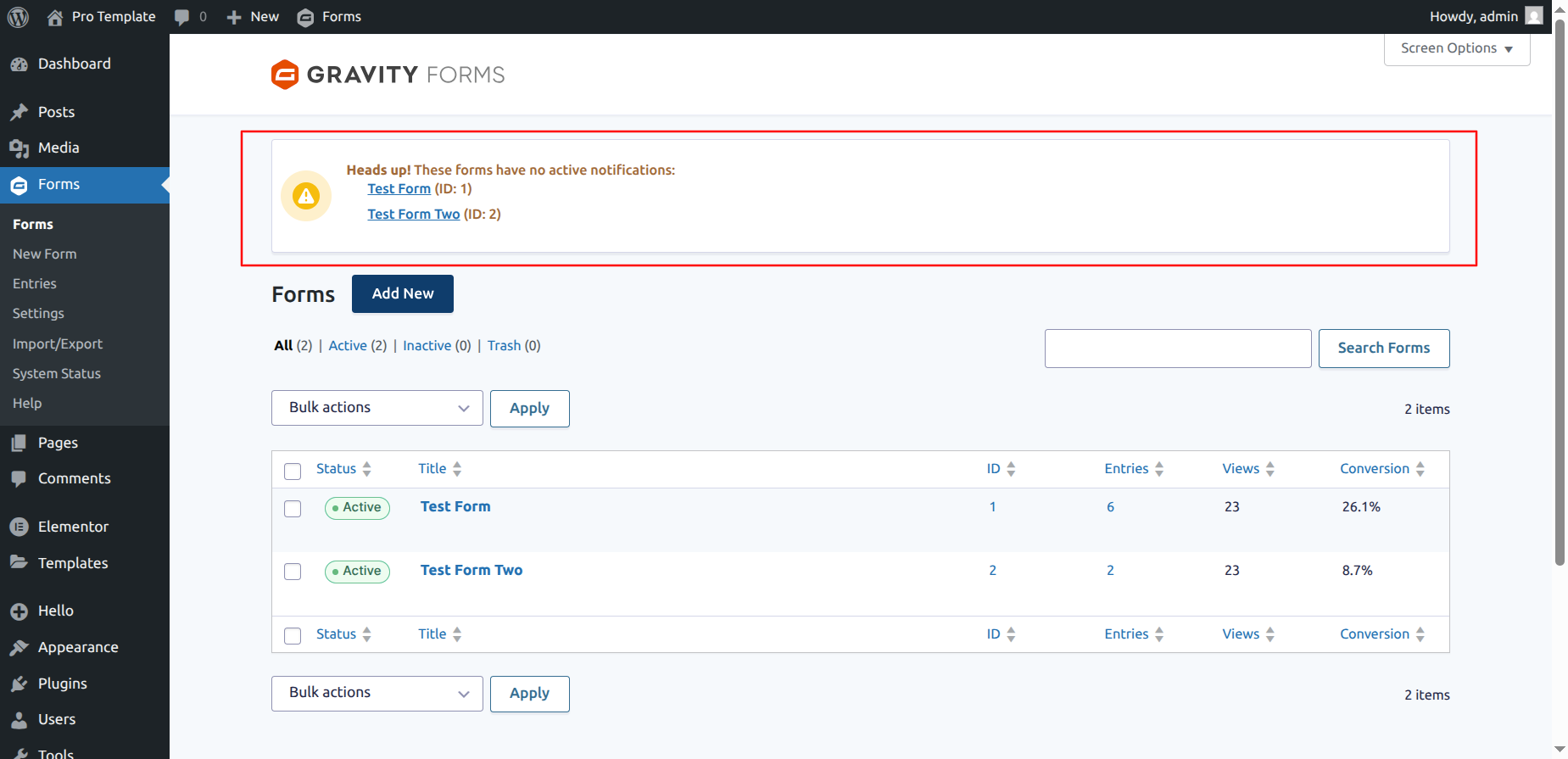
Displays an admin notice when a form does not have any active Admin or User notifications, helping ensure that form submissions are never missed.
Why use this plugin?
- Prevent missed form submissions caused by disabled notifications
- Improve usability for Multi-Select fields with long option lists
- Enable enhancements only where needed (per-field control)
- Lightweight, secure, and built specifically for Gravity Forms
Key Features
- Select2-enhanced UI for Gravity Forms Multi Select fields
- Per-field option: Enable Select2 Styling
- Admin dashboard notice for forms with no active Admin or User notifications
- No impact on other field types
- Compatible with AJAX-enabled forms
- Supports multiple forms and multiple instances per page
- Performance-friendly and Gravity Forms–native
Important: This plugin requires the Gravity Forms plugin to be installed and activated.
Getting Started
Requirements –
To get the best experience with this Multi Select & Notification Checker for Gravity Forms plugin, we recommend the following:
PHP 7.4 or later
MySQL 5.6 or later
WordPress 4.5 or later
To be sure about the above requirements, contact your hosting vendor.
Installation & Activation –
This content explains how to install the plugin and get it working.
This plugin can be installed directly from your site.
- Download the Multi Select & Notification Checker for Gravity Forms plugin from your account page under the Orders tab.
- Log in to your WordPress admin panel and go to Plugins → Add New.
- Click Upload Plugin, choose the downloaded ZIP file, and click Install Now.
- Once the installation is complete, click the Activate button to enable the plugin.
It can also be installed manually.
- Download the Multi Select & Notification Checker for Gravity Forms plugin from your account page under the Orders tab.
- Unzip the package and move it to your plugins directory.
- Login to the WordPress and navigate to the Plugins screen.
- Locate the Multi Select & Notification Checker for Gravity Forms in the list and click the Activate link.
Settings
Backend Settings:
Frontend Form:
Reviews Multi Select & Notification Checker for Gravity Forms
We hope you enjoy using the Multi Select & Notification Checker for Gravity Forms. Please note that we are always trying to improve it.
Thanks so much in advance!
FAQs
Ans. No. Select2 styling is applied only to Multi Select fields where “Enable Select2 Styling” is enabled.
Ans. Yes. The plugin checks whether at least one Admin or User notification is active for each form and displays an admin notice if none are enabled.
Ans. No. It works exclusively with Gravity Forms Multi Select fields.
Ans. Yes. The plugin supports multiple forms and multiple instances of the same form on a single page.